Getting Started
Welcome to the School of the Arts. Here is everything you need to settle into your new position at Yavapai College.
"Be the person you wish you had."
It is the idea behind everything we do here. See our full teaching & service philosophy and 10 retention strategies on the Vision page.
Read Our VisionYou Are in the Right Place
Starting somewhere new can feel like a lot at once. This page keeps it simple: choose your role, work through a short list of first steps, and find the dates, links, and people who will help you hit the ground running.
Tools to Get You Going
Onboarding Checklist
0/7Tailored to your role · saved on this device
Accounts & Tech Help
No links yet.
Teaching & Your Courses
Dates & Deadlines
Handbooks & Guides
Student Success
No links yet.
Each Semester / Term
Important reminders for faculty and staff as each new term approaches.
Class Prep Reminders
- Aug 14Publish your Canvas course shells by Friday, August 14.
- Aug 14Send your student welcome letters by Friday, August 14. Download Sample Welcome Letter
- Aug 14Email your course syllabus by August 14 to your department admin:
Key Dates & Deadlines
New adjunct faculty must complete the Canvas Readiness Course before teaching their first class.
Your First Steps
Showing steps for Full-Time Faculty.
Activate Your YC Accounts
Set up your Yavapai College email, network login, and the self-service portal. Your department can help you find your YC ID number and get connected on day one.
Complete HR Onboarding
Finish your new-hire paperwork, enroll in benefits, and complete any required trainings through Human Resources so payroll and access are ready to go.
Get Your Campus Essentials
Pick up your employee ID / Roughrider card, request building keys or door access, and set up your parking. Use the campus map below so you know where everything lives.
Set Up Canvas & Your Courses
Log into Canvas, build your course shell, and post your syllabus and schedule before the first week. New to Canvas? The Resources page has templates and guides.
Meet Your Department
Introduce yourself to your department chair, coordinator, and the Dean. The Contact Directory lists who to reach for curriculum, scheduling, and facilities.
Explore the Division Hub
Browse the Vision, Resources, and Events pages to see how we work, find shared materials, and discover what is happening across Film, Performing, and Visual Arts.
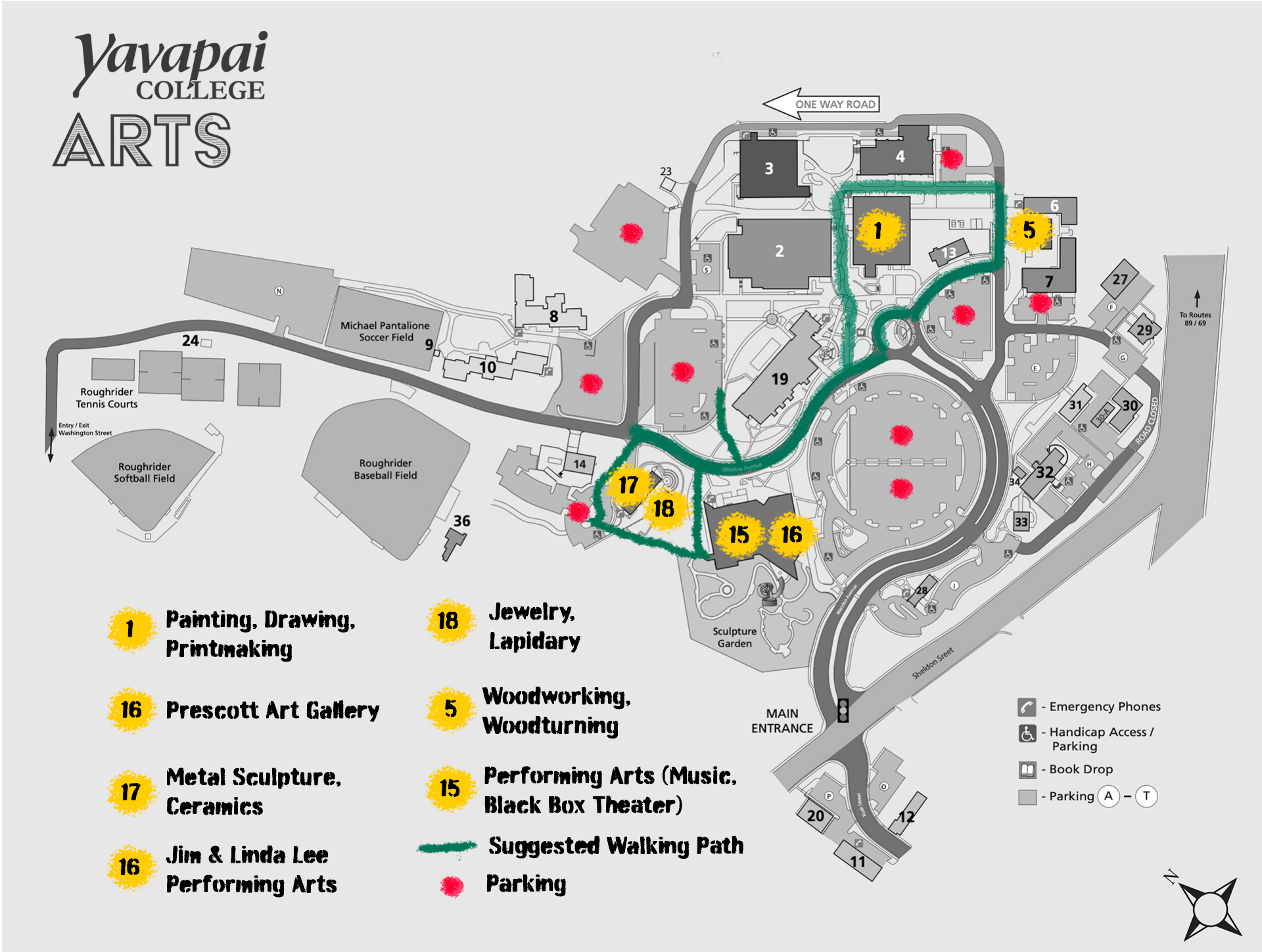
Find Your Way Around Campus
The School of the Arts spans several buildings on the Prescott campus. Use the map to locate studios, galleries, and performance spaces.